
AMARadio












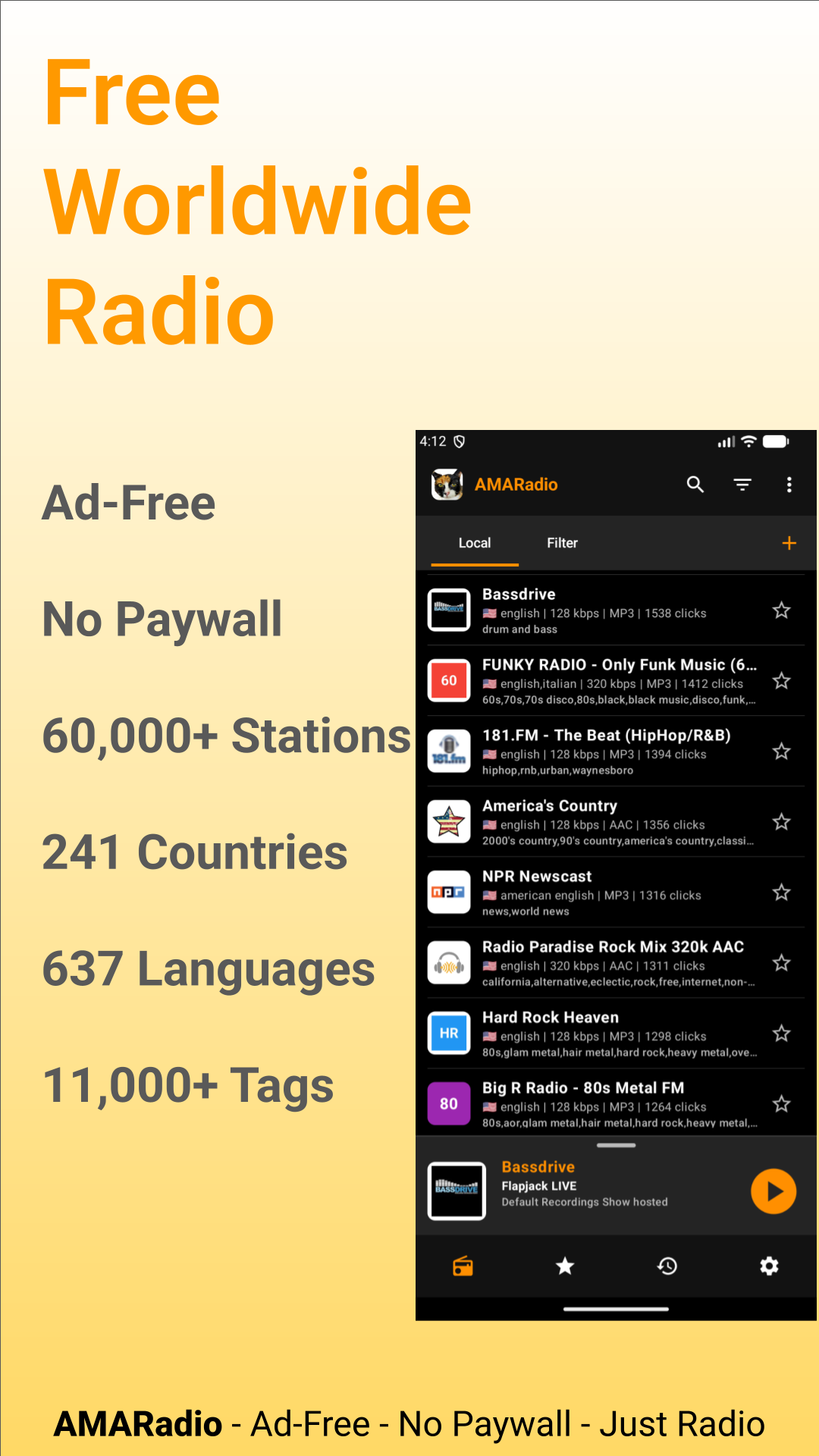
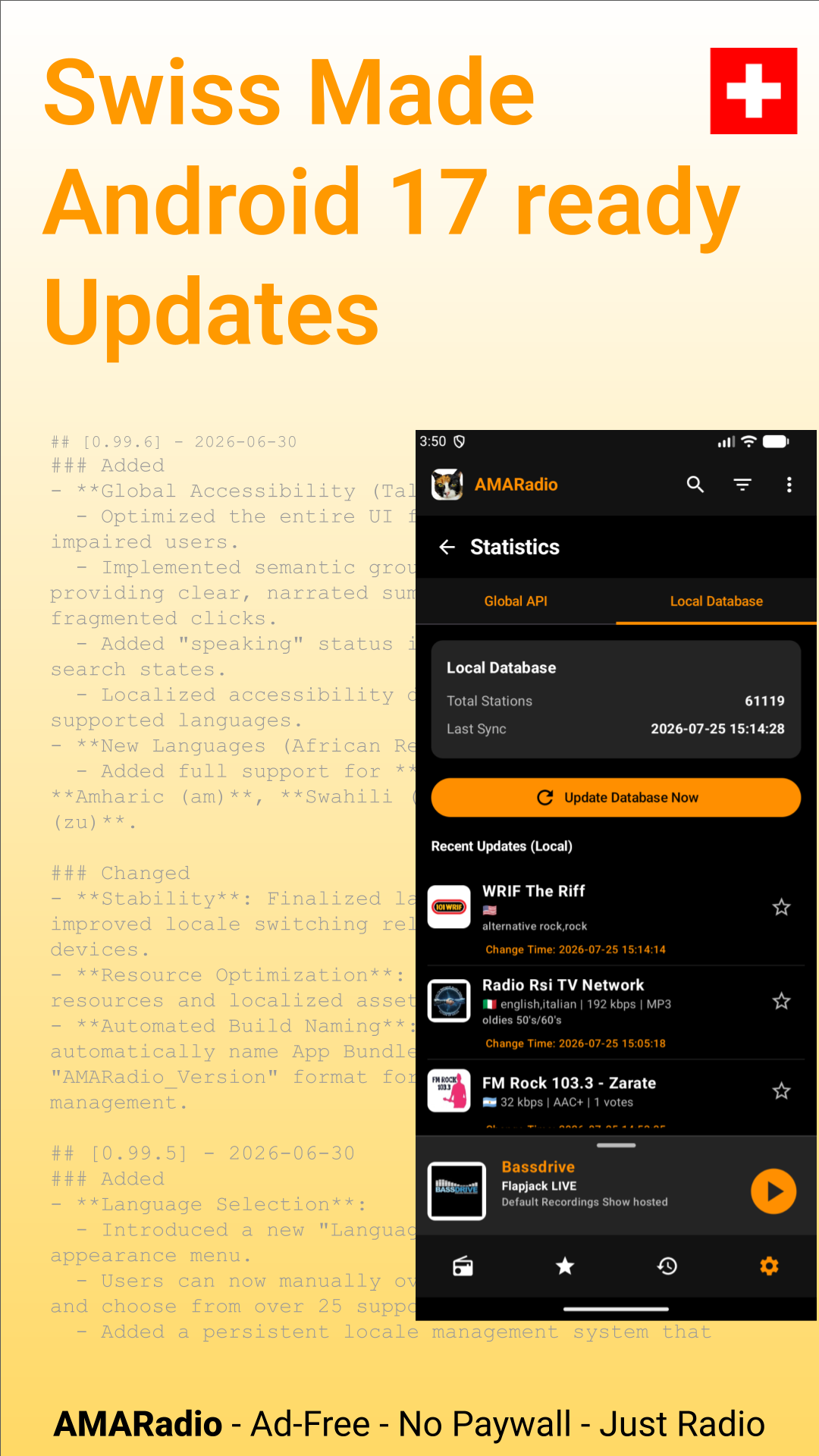
Stream 65,000+ stations worldwide. No paywalls, no subscriptions, no ads, no tracking. 100% free.
Powered by radio-browser.info with high-availability mirror fallback.
Many traditional FM/AM stations also provide internet streams that you can listen to with AMARadio.
Key Features:
- 100% Free: No paywalls. No subscriptions. No in-app purchases.
- Zero Ads: No banner ads. No audio ads. No tracking.
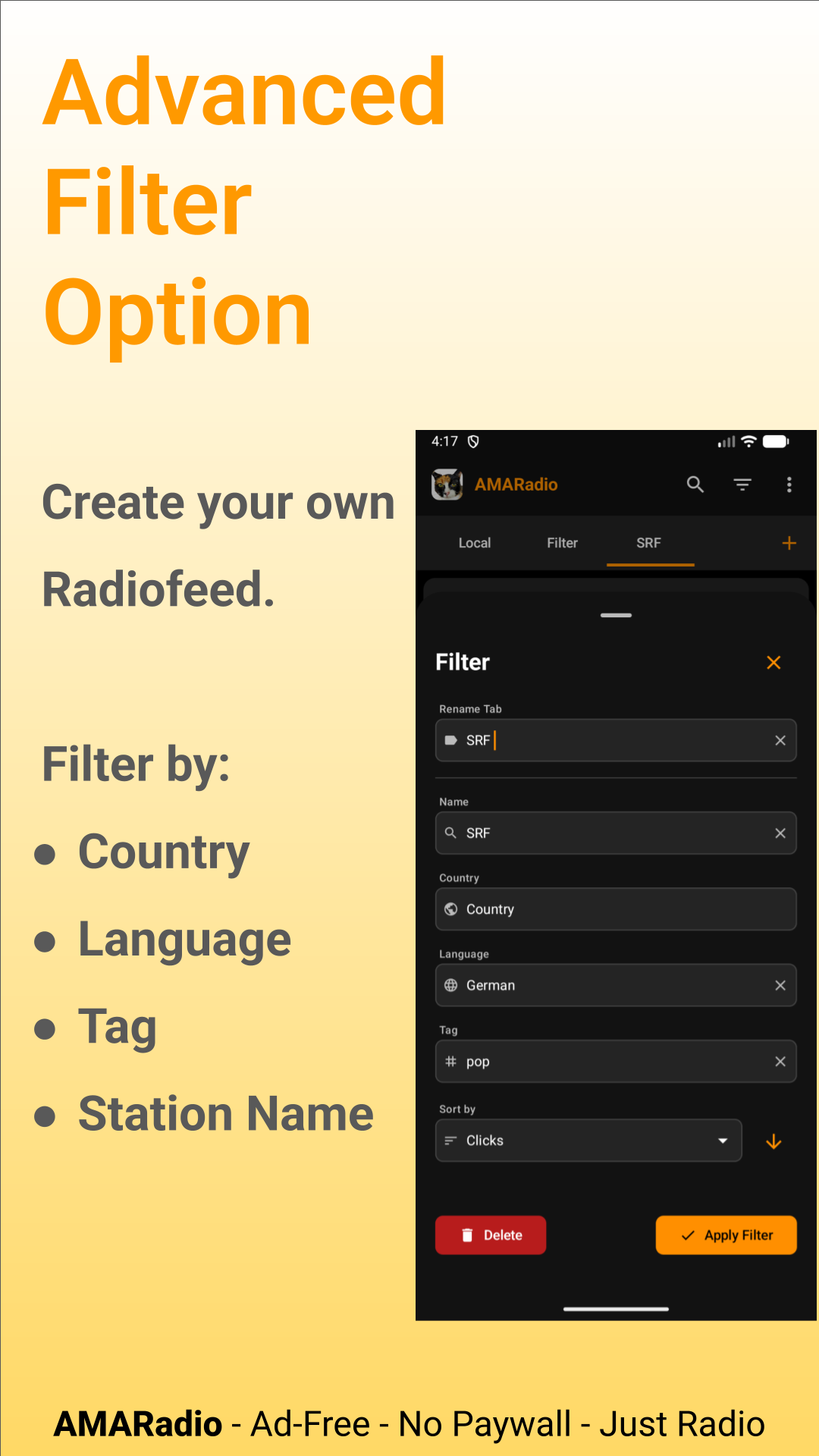
- 65,000+ Stations: Discover global broadcasts by country, language, or 11,000+ tags.
- Popular & Trending: Browse top-voted stations and recent clicks worldwide.
- Android Auto: Control audio safely from your car dashboard.
- Home Screen Widgets: Fast stream control right from your home screen.
- Custom Stations: Add and manage your own custom stream URLs.
- Wide Codec Support: Plays MP3, AAC, OGG, and HLS live streams seamlessly.
- High Availability: Local station cache with database mirror fallback.
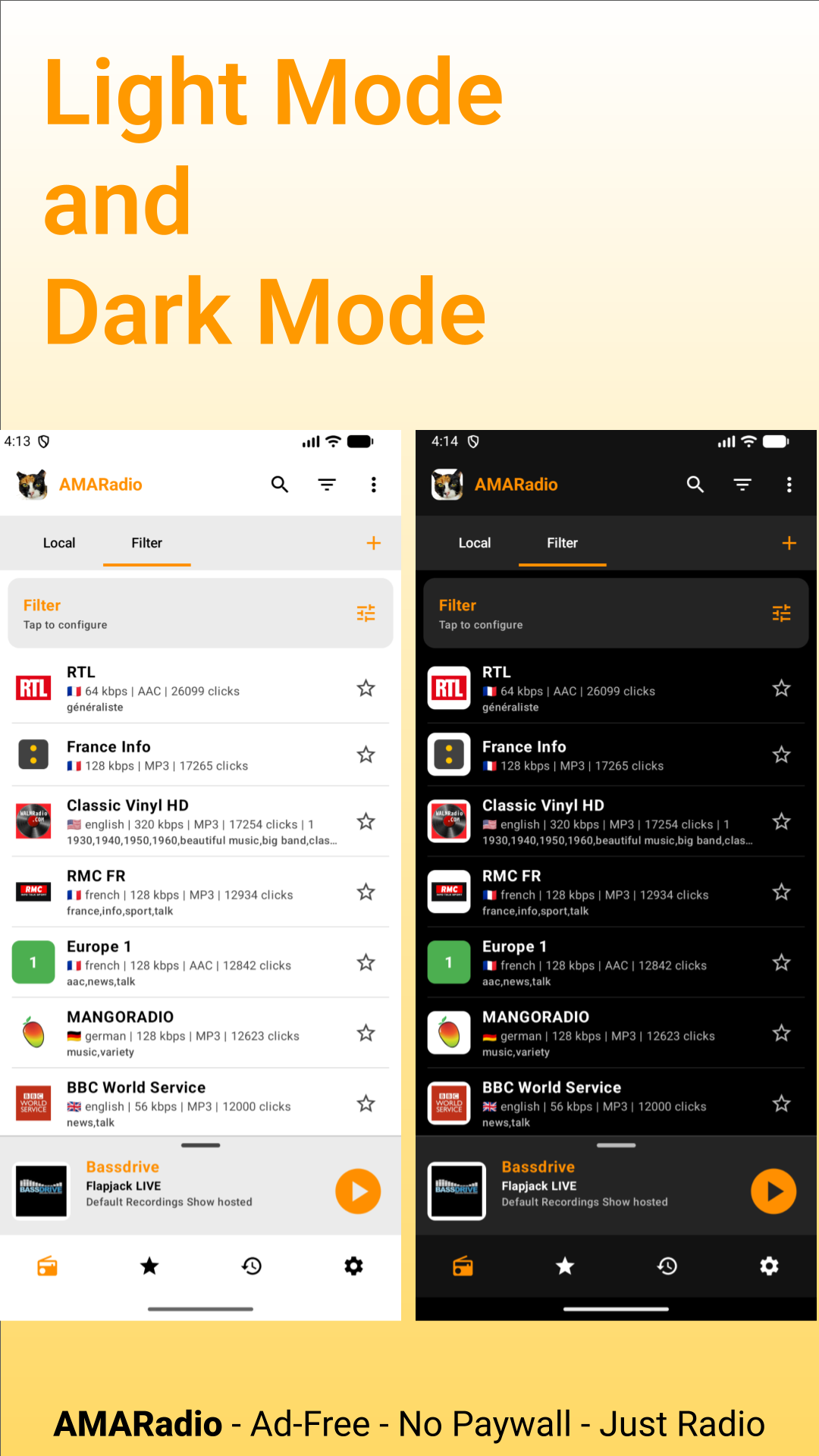
- Modern UI: Jetpack Compose and Material 3 with custom scaling.
- Battery Efficient: Powered by AndroidX Media3 (ExoPlayer).
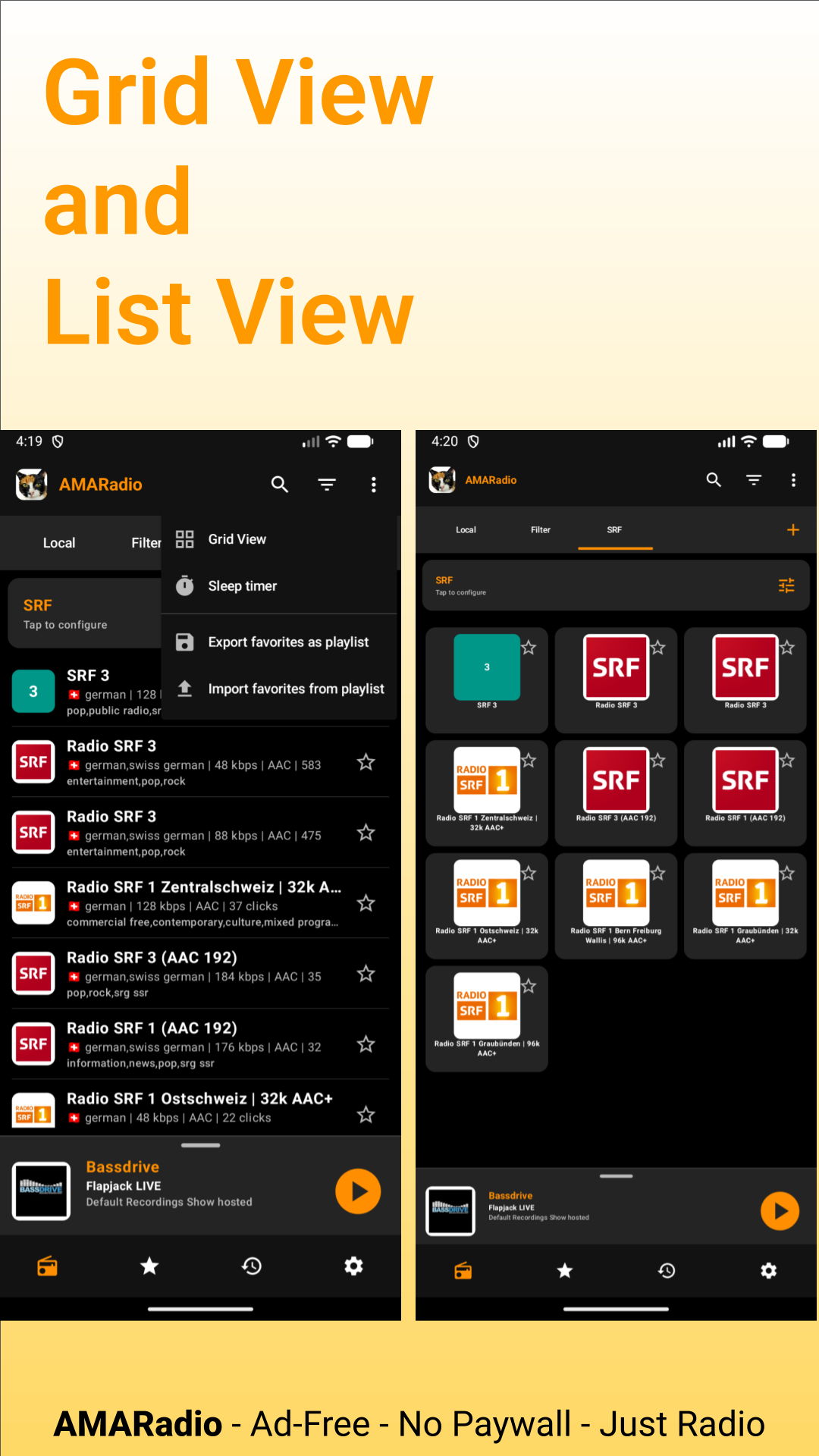
- Smart Tools: Sleep timer, favorites, and M3U playlist import/export.
- Accessible: Full TalkBack support in 74+ languages.
Popular Genres & Content:
- Music: Classical, Jazz, Rock, Pop, Electronic, Metal, Ambient, Hip Hop.
- Spoken Audio: Daily news broadcasts, talk radio, podcasts, and sports coverage.
- Moods & Activities: Focus playlists, workout beats, relaxation, and background sound.
Perfect For:
- Commuting: Hands-free streaming via Android Auto.
- Bedtime Listening: Set the sleep timer to turn off playback automatically.
- Global Discovery: Listen to local hometown stations while living abroad.
Technical Specifications:
- Written in 100% Kotlin
- UI Framework: Jetpack Compose & Material 3
- Audio Engine: AndroidX Media3 (ExoPlayer)
- Architecture: MVVM with Activity-scoped ViewModels
- Database: Room (local station & history cache)
- Network: OkHttp & Coroutines
- Image Loading: Coil
- Compatibility: Android 8.0+ (Target: Android 17 / SDK 37)
Acknowledgments & Open Source:
- Source Code: https://github.com/ounben/AMARadio
- Website: https://amaradio.org
- Station Directory: https://radio-browser.info
- Fork of: RadioDroid https://github.com/segler-alex/RadioDroid
- Radio-Browser GitLab: https://gitlab.com/radiobrowser
Special thanks to the RadioDroid project for the inspiration and ground-breaking work in open-source radio streaming.
FAQ – AMARadio
What is AMARadio?
AMARadio is a free, ad-free, open-source Android application for streaming online radio stations. It is designed for a minimalist, accessible, and lightweight user experience.
Which license does AMARadio use?
AMARadio is open-source software released under the GNU General Public License v3 (GPLv3). The source code is fully accessible on GitHub.
Is AMARadio safe and privacy-focused?
Yes. According to Exodus Privacy, AMARadio contains 0 trackers and 0 advertising SDKs. Furthermore, VirusTotal analysis confirms the application is completely clean of malware (0/96 Clean).
Where does AMARadio source its radio station data?
AMARadio utilizes the community-driven database provided by Radio-Browser.info, granting access to tens of thousands of international and regional live radio streams.
Where can AMARadio be downloaded?
AMARadio is available for Android via the following distribution channels:
-
GitHub Releases (as a direct APK download)
Which technologies and programming languages are used?
AMARadio is written 100% in Kotlin. It relies on modern Android development standards including Jetpack Compose, Material 3, Room Database, and AndroidX Media3 ExoPlayer.
Are there any ads, subscriptions, or in-app purchases?
No. AMARadio is completely free of charge, contains no advertisements, collects no user telemetry, and has no paid tiers or in-app purchases.
Does AMARadio collect any personal user data or telemetry?
No. AMARadio does not collect, track, or transmit any personal data, usage statistics, or analytics. All application preferences and saved favorite stations remain stored strictly on the user's local device.
Does AMARadio require account creation or login?
No account creation, registration, or sign-in is required. Users can start streaming radio stations immediately after installation without providing an email address or personal credentials.
How are radio station logos and metadata handled?
AMARadio fetches station metadata directly from Radio-Browser.info and caches station icons locally on the device to minimize network bandwidth and speed up UI loading times.
Can AMARadio play streams in the background or when the screen is off?
Yes. Powered by the AndroidX Media3 ExoPlayer framework, AMARadio supports full background audio playback, media session notifications, and lock screen controls.
Is AMARadio compatible with Android Auto or external media controls?
AMARadio integrates standard Android MediaSession APIs, enabling seamless interaction with Bluetooth devices, media control keys, system volume integration, and compatible automotive or external display interfaces.
What network formats and audio streams does AMARadio support?
AMARadio supports standard internet radio streaming formats handled by ExoPlayer, including MP3, AAC, OGG, and HLS (HTTP Live Streaming) protocol formats.
How can users support or contribute to the AMARadio project?
As an open-source project hosted on GitHub, users and developers can contribute by submitting bug reports, suggesting feature enhancements, providing code contributions, or helping translate the application interface.
Why was AMARadio created?
AMARadio was created to provide a distraction-free, privacy-respecting, and fully transparent alternative to commercial radio streaming applications that rely heavily on pop-up ads, background tracking, and proprietary SDKs.
Audio Stops in the Background? (Battery Optimization Guide)
To ensure AMARadio streams continuously when your screen is locked or while multitasking, Android must be prevented from killing the background playback service to save battery. Aggressive battery management by manufacturers can terminate foreground audio services. Follow these steps to keep playback reliable.
General Step for All Android Devices:
Long-press the AMARadio app icon on your home screen or app drawer and tap the Info icon to open App Info. Open the Battery or App battery usage menu. Switch the selection from Optimized to Unrestricted.
Samsung (One UI):
Go to App Info, open Battery, and set it to Unrestricted. Next, open device Settings, go to Battery, and select Background usage limits. Ensure AMARadio is not listed under Deep sleeping apps, and add AMARadio to Never sleeping apps.
Xiaomi, Poco, Redmi (HyperOS / MIUI):
Go to App Info, select Battery saver, and choose No restrictions. In App Info, toggle Autostart to enabled. Open the Recent Apps screen, press and hold the AMARadio tile, and tap the Lock icon to pin it into memory.
Google Pixel, Motorola, Sony (Stock Android):
Go to App Info, select App battery usage, and set it to Unrestricted.
Oppo, OnePlus, Realme (ColorOS / OxygenOS):
Go to App Info, open Battery usage, then enable Allow background activity and Allow auto-launch. Next, open device Settings, go to Battery, open More settings, select App freeze or Quick freeze, and ensure AMARadio is disabled.
For detailed information on manufacturer-specific background task restrictions, visit dontkillmyapp.com.
AMARadio Open Source Radio Player important Links
Google Play: https://play.google.com/store/apps/details?id=com.ounben.amaradio
F-Droid: https://f-droid.org/de/packages/com.ounben.amaradio/
Privacy Police AMARadio: https://ounben.com/amaradio/privacy-policy-for-amaradio/
Github: https://github.com/ounben/AMARadio
Changelog: https://github.com/ounben/AMARadio/blob/master/CHANGELOG.md
Issue: https://github.com/ounben/AMARadio/issues
Discussion: https://github.com/ounben/AMARadio/discussions
Developer Homepage: https://ounben.com/
APP First Page: https://amaradio.org
APP Second Page: https://ounben.com/amaradio/
Youtube: https://www.youtube.com/watch?v=JTJLFj8M1XI&t
Reddit: https://www.reddit.com/user/ounben/comments/1v7b3fs/amaradio_open_source_radio/
Reddit Account: https://www.reddit.com/user/AMARadio_Radio_App/
Facebook: https://www.facebook.com/people/AMARadio/61592511271628/
Twitter X: https://x.com/ounben/status/2081687440079626588
Trendshift: https://trendshift.io/repositories/93873
Gitlab Workitem: https://gitlab.com/radiobrowser/docs-radio-browser-info/-/work_items/1
Github Discussion: https://github.com/ounben/AMARadio/discussions/33#discussioncomment-17829200
Alternativeto.net: https://alternativeto.net/software/amaradio/